

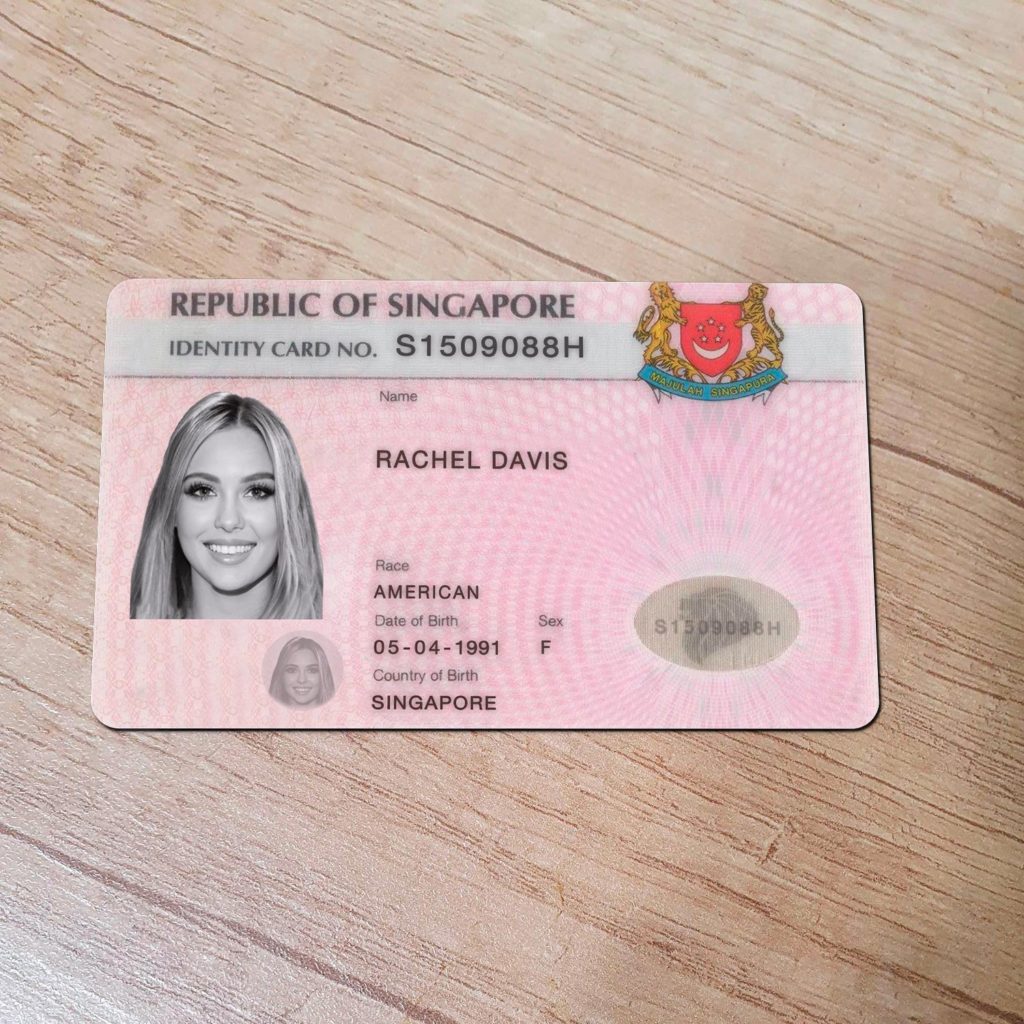
ID Card Templates: Design and Personalize Your Identification Cards
Introduction
In today’s world, identification cards have become a necessity for individuals and organizations alike. Whether it’s for employee identification, student cards, or access control, having well-designed and professional-looking ID cards is essential. Fortunately, with the advent of ID card templates, designing and personalizing US DL cards has become easier than ever. In this article, we will explore the world of ID card templates, discuss their benefits, and provide valuable insights into creating impressive identification cards for various purposes.
ID Card Templates: Simplifying the Design Process
Creating ID cards from scratch can be a time-consuming and challenging task. ID card templates are pre-designed layouts that simplify the design process by providing a foundation to work upon. These templates come in various formats, including PSD (Photoshop), AI (Adobe Illustrator), and PDF (Portable Document Format), catering to different design preferences and software compatibility. By using ID card templates, you can save significant time and effort while ensuring a professional and visually appealing end result.
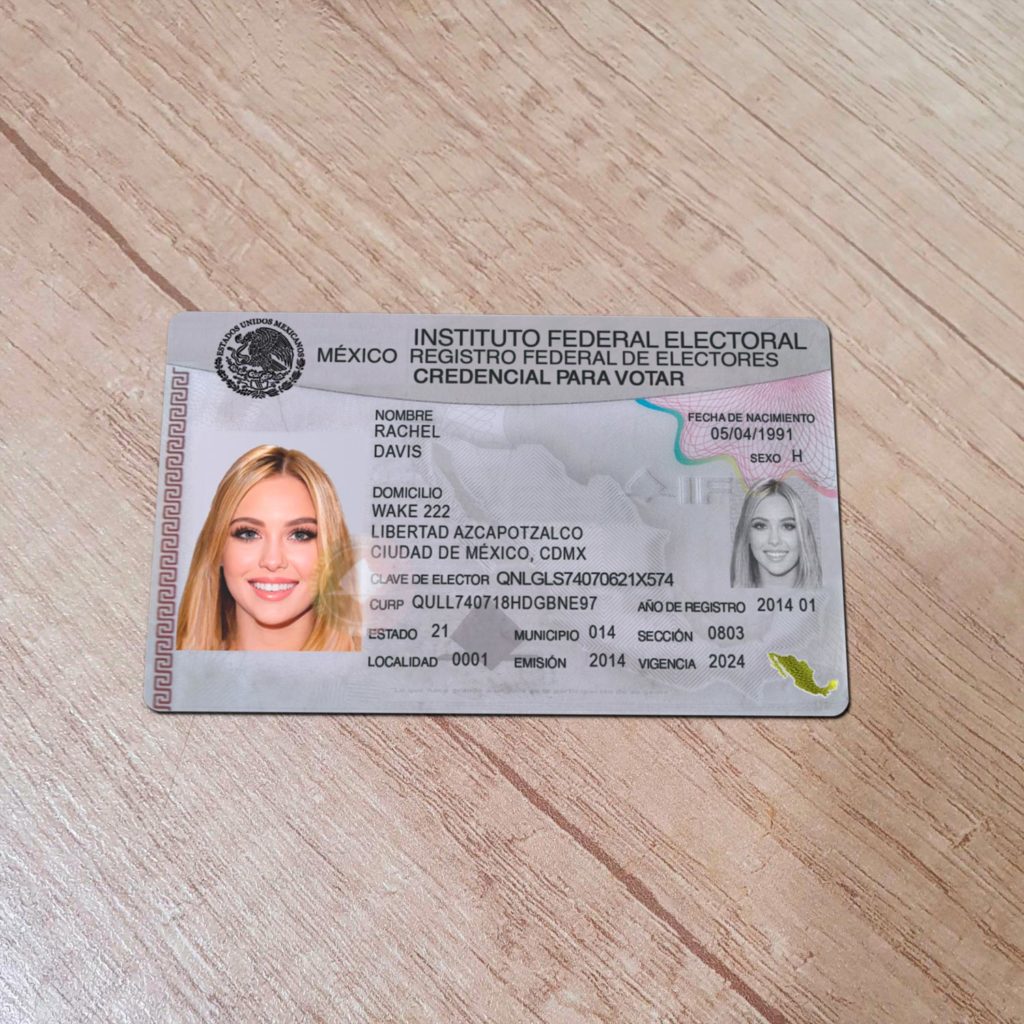
Benefits of Using ID Card Templates
Using ID card templates offers several advantages, making them a preferred choice for designing identification cards. Let’s explore some key benefits:
- Time Efficiency
Designing ID cards from scratch requires expertise in graphic design software and extensive time investment. ID card templates significantly reduce the time required for design, as they provide ready-made layouts and design elements. With a template, you can simply customize the details, such as text, colors, and images, according to your requirements.
- Consistency in Design
Maintaining consistency in the design of identification cards is crucial for branding and professional appearance. ID card templates help achieve this consistency by providing a unified design structure that can be easily replicated across multiple cards. This ensures a cohesive and organized look, especially in organizations with a large number of employees or students.
- Professional Appearance
ID card templates are designed by professionals with an understanding of visual aesthetics and industry standards. By using these templates, you can ensure that your identification cards have a polished and professional appearance. This not only enhances the credibility of your organization but also creates a positive impression among cardholders and external stakeholders.
- Customization Flexibility
While ID card templates provide a pre-designed framework, they also offer flexibility for customization. You can modify various aspects of the template, such as colors, fonts, layout, and logo placement, to align with your organization’s branding guidelines. This allows you to create unique identification cards that reflect your organization’s identity.
- Cost-Effectiveness
Designing ID cards from scratch or hiring a professional designer can be expensive. ID card templates offer a cost-effective alternative, as they are often available at affordable prices or even free of charge. By utilizing these templates, you can significantly reduce design costs without compromising on quality.
Exploring Different Types of ID Card Templates
ID card templates come in a variety of styles, catering to different identification card requirements. Let’s take a look at some popular types of ID card templates:
- Employee ID Card Templates
Employee ID card templates are specifically designed for organizations to create identification cards for their employees. These templates typically include fields for employee name, photo, job title, and organization logo. They may also include additional details such as employee ID number and department information. Employee ID card templates help streamline the onboarding process and enhance security within the workplace.
- Student ID Card Templates
Student ID card templates are widely used in educational institutions to provide identification cards to their students. These templates often include space for student name, photograph, student ID number, program details, and validity dates. Student ID cards help in campus access control, library management, and student identification during exams and events.
- Membership Card Templates
Membership card templates are suitable for organizations or clubs that offer membership benefits or privileges. These templates allow you to create personalized membership cards with the member’s name, photo, membership number, and validity dates. Membership cards can be used for access control, loyalty programs, and exclusive offers.
- Event Pass Templates
Event pass templates are designed for conferences, concerts, exhibitions, or any other event requiring attendee identification. These templates often include event branding, attendee name, unique QR codes, and event details. Event passes serve as a means of access control and provide event organizers with valuable data for attendance tracking.
- Visitor ID Card Templates
Visitor ID card templates are ideal for organizations that frequently host visitors or guests. These templates enable you to create temporary identification cards for visitors, including their name, photo, purpose of visit, and expiration time. Visitor ID cards help in distinguishing authorized visitors and ensuring enhanced security within the premises.
How to Customize ID Card Templates
Customizing ID card templates allows you to tailor them according to your specific requirements and branding guidelines. Here are the general steps to customize an ID card template:
- Select a Suitable ID Card Template
Start by choosing an ID card template that best aligns with your identification card needs. Consider factors such as layout, design elements, and fields provided in the template. Ensure that the template is compatible with your preferred design software.
- Gather Necessary Information
Collect all the relevant information you want to include on the ID card. This may include names, photos, titles, organization logos, and additional details specific to your identification card type. Having all the required information readily available will streamline the customization process.
- Open the Template in Design Software
Open the selected ID card template in your preferred graphic design software. Most ID card templates come in formats compatible with popular software such as Adobe Photoshop or Adobe Illustrator. Ensure that you have the necessary software installed on your computer.
- Customize Text and Images
Update the text fields in the template with the appropriate information. This includes names, job titles, organization names, and any other text elements. Replace the placeholder images with actual photographs or logos.
- Adjust Colors and Fonts
Modify the colors and fonts used in the template to match your organization’s branding guidelines. Use your organization’s color scheme and choose fonts that are legible and appropriate for identification cards.
- Review and Proofread
Before finalizing the customization, review the entire ID card design for any errors or inconsistencies. Double-check all the text, images, and design elements to ensure accuracy and professionalism. It’s also helpful to have someone else review the design to catch any mistakes you might have missed.
- Save and Export
Once you are satisfied with the customized ID card design, save the file in the desired format. Depending on your needs, you may need to save it as a high-resolution image file or a print-ready PDF. Make sure to keep a backup copy of the design file for future reference or modifications.
FAQs About ID Card Templates
- Can I customize the layout of an ID card template?
Yes, most ID card templates allow customization of the layout. You can modify the arrangement of fields, adjust the size of images, and reposition various elements according to your preferences.
- Do ID card templates support printing on both sides?
Some ID card templates are designed for printing on both sides, while others focus on the front side only. It’s essential to choose a template that matches your printing requirements.
- Can I resize an ID card template?
Yes, you can resize an ID card template to fit your desired dimensions. However, it’s important to maintain the aspect ratio to avoid distorting the design elements.
- Are ID card templates compatible with all design software?
ID card templates are often available in formats compatible with popular graphic design software, such as Adobe Photoshop, Adobe Illustrator, and CorelDRAW. Make sure to choose a template that matches the software you have access to.
- Are ID card templates customizable for different industries?
Yes, ID card templates can be customized for various industries, including healthcare, education, corporate, and hospitality. You can modify the design elements and fields to suit the specific needs of your industry.
- Where can I find high-quality ID card templates?
There are several websites and online marketplaces that offer a wide range of ID card templates. Some popular platforms include Adobe Stock, Creative Market, and Template.net. Additionally, you can find free templates on websites like Freepik and Canva.
Conclusion
ID card templates provide a convenient and efficient solution for designing and personalizing identification cards. Whether you need employee ID cards, student IDs, membership cards, or event passes, utilizing templates saves time, ensures consistency, and enables customization. By following the steps outlined in this article, you can create professional and visually appealing identification cards that represent your organization’s brand and enhance security. Explore the diverse range of ID card templates available online, customize them to suit your specific needs, and streamline your identification card creation process.